Free · No signup

Tesla Wrap 3D Preview

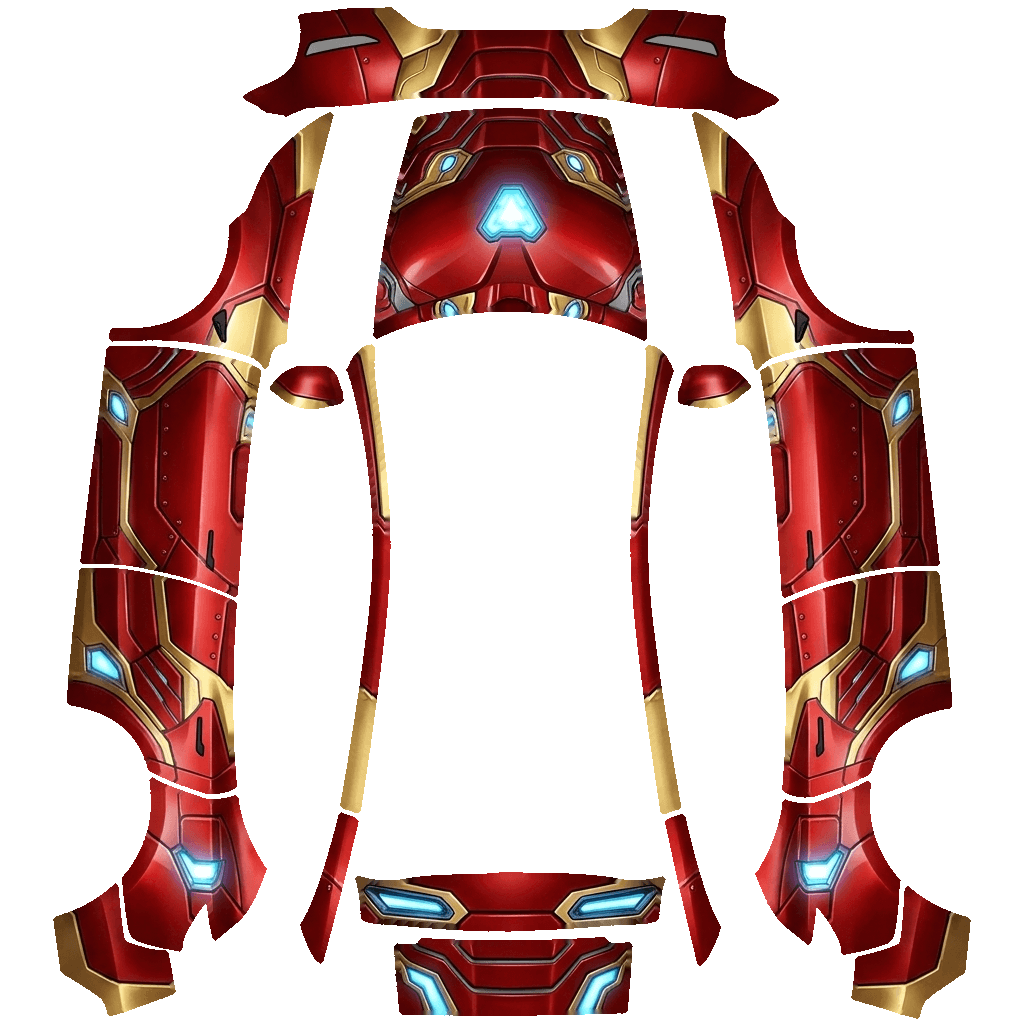
Drop in any Tesla wrap PNG to see it on a 3D Tesla, check it against Paint Shop's rules and fix it in one click: resized, trimmed to the panels, under 1 MB, with a safe file name.

Loading 3D · 0%
Model Y 2025+ Premium · 1024×1024
02Panel inspector

Check a Tesla wrap panel by panel

The Tesla wrap 3D preview shows the whole car; the panel inspector shows one panel at a time. Hover a shape to lift it off the car and read its direction, then fix whatever looks sideways in your design.

Model Y 2025+ Premium Paint Shop template with labeled panels
Paint Shop map · 1024×1024
Live 3D
Panel
––
of 00
Hover or tap a panel on the map
↑ Image up
—
→ Image right
—
Share of the map
—
03Features

Tesla wrap 3D preview features

01

3D preview in the browser

Your Tesla wrap renders on a 3D Model 3, Model Y or Cybertruck without uploading anything.

02

Six Paint Shop checks

Format, size, file weight, file name, panel coverage and paint outside the panels.

03

Model detection

The Tesla wrap 3D preview guesses which template your file was made for and offers to switch.

04

One-click fix

Resize, trim to the panels, compress under 1 MB and rename, in one pass.

01

The file is over 1 MB

Paint Shop skips PNGs larger than 1 MB. Full-color PNGs of detailed art often land at 2–4 MB. The fixer converts them to an optimized palette PNG that keeps the look but fits the limit, and the Tesla wrap 3D preview shows you the result before you download.

02

The size or shape is wrong

A Tesla wrap must be a square PNG between 512 and 1024 pixels, except Cybertruck at 1024×768. A 4K image or a photo straight from a phone will not load until it is resized to the template.

03

The file name has special characters

Use only letters, numbers, spaces, dashes and underscores, up to 30 characters. Emoji, accents and symbols can stop the car from listing the Tesla wrap.

04

The USB drive is the problem

Format the drive as exFAT or FAT32 (NTFS is not supported), put the PNGs in a folder named Wraps at the top level, and make sure the drive does not also hold map or firmware update files.

05

It loads but looks crooked

The design was made for a different template. The checker above detects which Tesla the file fits best; regenerate or repaint it for your exact model and year, and use the Tesla wrap 3D preview to confirm it before loading it in the car.

06

How the Tesla wrap 3D preview works

The preview loads the same UV-mapped 3D model the Tesla wrap generator uses and paints your PNG onto it exactly the way Paint Shop does: transparent pixels show the base paint, opaque pixels show the wrap. If the preview looks right, the car will look right. Drag to orbit, scroll to zoom, and switch to the flat map to compare panel by panel.

07

Dark lines along the panel edges

Those are the template outlines left in the file. Tick Trim paint outside the panels and the fixer replaces the outlines with neighboring color, so the Tesla wrap shows no seams on the car.

05FAQ

Tesla wrap 3D preview FAQ

Is the 3D preview free?

Yes, and it does not need an account. Your file stays in your browser for the Tesla wrap 3D preview; it is only sent to the server when you press Fix, and it is not stored.

Which cars can I preview in 3D?

Model 3, Model Y (including Juniper and Model Y L) and Cybertruck. Model S and Model X show the flat map for now.

What does Trim paint outside the panels do?

It clears anything painted outside the template shapes and tidies the panel edges, which keeps the file small and avoids stray color.

Will fixing change how my wrap looks?

Barely. The fixer reduces the palette to fit 1 MB; on the car's screen the difference is hard to spot.

Can I preview a wrap I bought elsewhere?

Yes. Any PNG works in the Tesla wrap 3D preview, wherever it came from.

Your Tesla has one paint color. The screen doesn't have to.

Describe a look or upload a photo and see it on your car in about a minute.

Start a wrap