Cybertruck wrap generator

Cybertruck Wrap Generator

Flat stainless panels, sharp creases and a 1024×768 map laid out sideways. Describe the Cybertruck wrap and the generator handles the geometry.

Style
Try
Sign in to generate · 2 free wraps for new accounts
Loading 3D · 0%
Drag to spin · scroll to zoom
Model
Cybertruck
UV map
1024×768
▶ Test drive1 Cybertruck wraps
Cybertruck✦1024×768 UV map✦Right side drawn upside down✦Text rotated for you✦PNG < 1 MB✦Paint Shop ready✦Cybertruck✦1024×768 UV map✦Right side drawn upside down✦Text rotated for you✦PNG < 1 MB✦Paint Shop ready✦
02How it works

A Cybertruck wrap in three steps

  1. 01

    One template for every truck

    All Cybertrucks share one Paint Shop map, 1024×768 pixels, so there is nothing to pick for your Cybertruck wrap.

  2. 02

    Describe or upload

    Big flat panels love bold graphics: camo, stencils, chevrons, full-side illustrations.

  3. 03

    Check it, download it

    Spin the 3D Cybertruck, then download the Cybertruck wrap PNG and load it via the Tesla app or USB.

03Panel inspector

Every Cybertruck wrap panel, mapped

Hover the long strips of the Cybertruck template to see which side of the truck they cover. The top strip is the right side, drawn upside down, which is why lettering on a hand-made Cybertruck wrap so often flips.

Cybertruck Paint Shop template with labeled panels
Paint Shop map · 1024×768
Live 3D
Panel
––
of 00
Hover or tap a panel on the map
↑ Image up
—
→ Image right
—
Share of the map
—

Panel names and directions come from matching the Cybertruck template against its UV-mapped 3D model.

05Share link

Put your Cybertruck wrap on the track

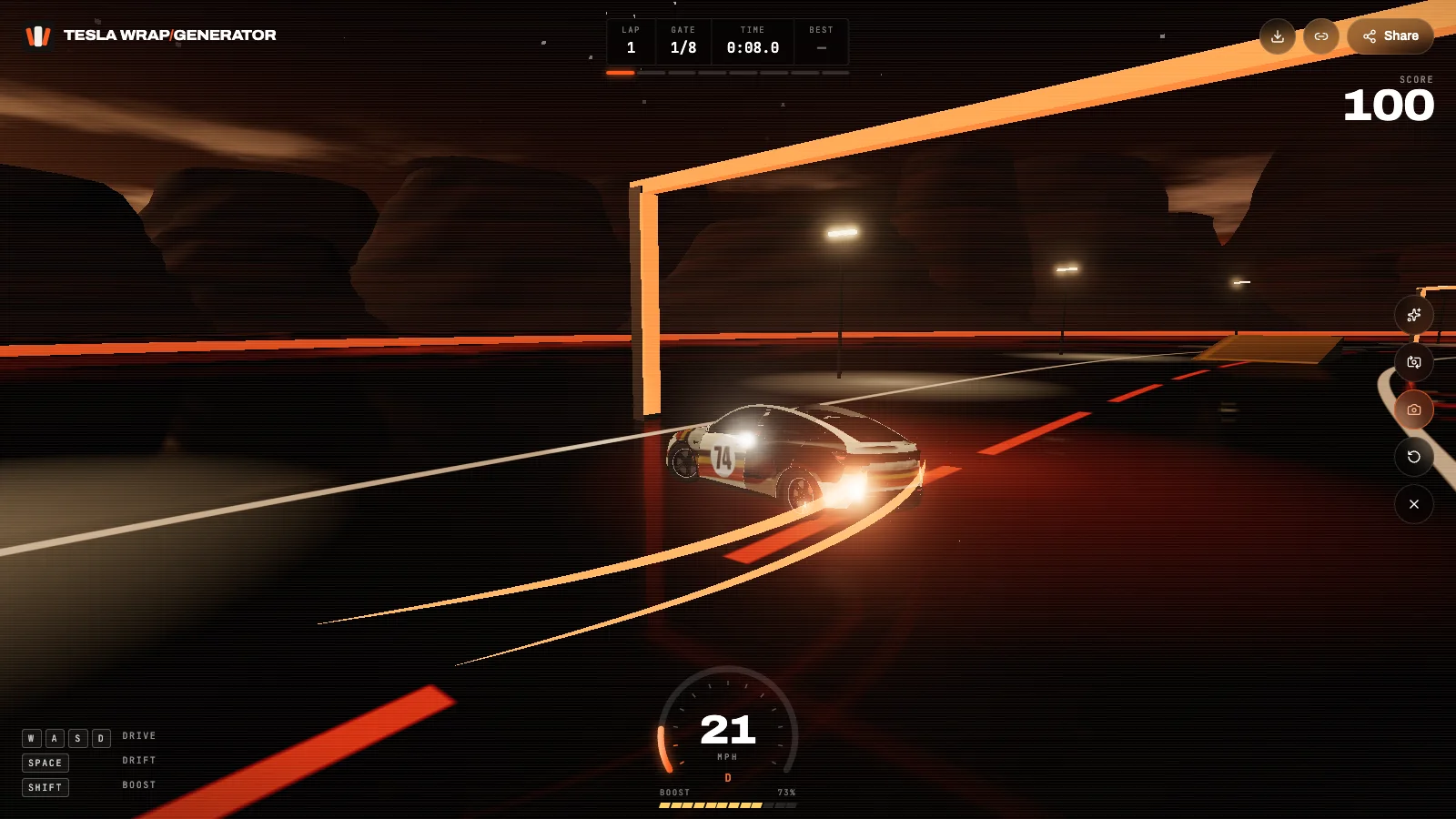
Every Cybertruck wrap gets a share link that opens on a 3D Cybertruck. Press Start, hit the ramps, drift the slalom and save a photo of your Cybertruck wrap mid-air.

  • Panel callouts

    The link opens on your car with the hood, doors, quarters and wheels labeled, so friends see exactly what was wrapped.

  • Drive, drift, boost

    Press Start and drive the wrap around a dusk test track: eight gates, two ramps, a slalom and a lap timer. Works with keys or touch.

  • Photo mode

    Grab a press shot of the car mid-drift with the wrap name on it, ready for Instagram, X or a Tesla owners group.

Take one for a drive
A custom Tesla wrap drifting on the 3D test track
teslawrapgenerator.com/w/…
06Features

Cybertruck wrap generator features

01

Built for the 1024×768 map

The Cybertruck wrap generator works on Tesla's horizontal Cybertruck template, not a square one.

02

Lettering the right way up

The upside-down right side is handled for you, so numbers and words read correctly on both flanks.

03

Bold graphic styles

Camo, stencils, hazard chevrons, brushed metals and full-length illustrations suit the flat steel.

04

3D Cybertruck preview

Check the Cybertruck wrap from every angle, including the vault lid and the sharp front edge.

05

Paint Shop-ready PNG

1024×768, under 1 MB, trimmed to the panels with a safe file name.

06

Share and drive

A share link opens your Cybertruck wrap in 3D with a test track, ramps and photo mode.

01

The Cybertruck map is different

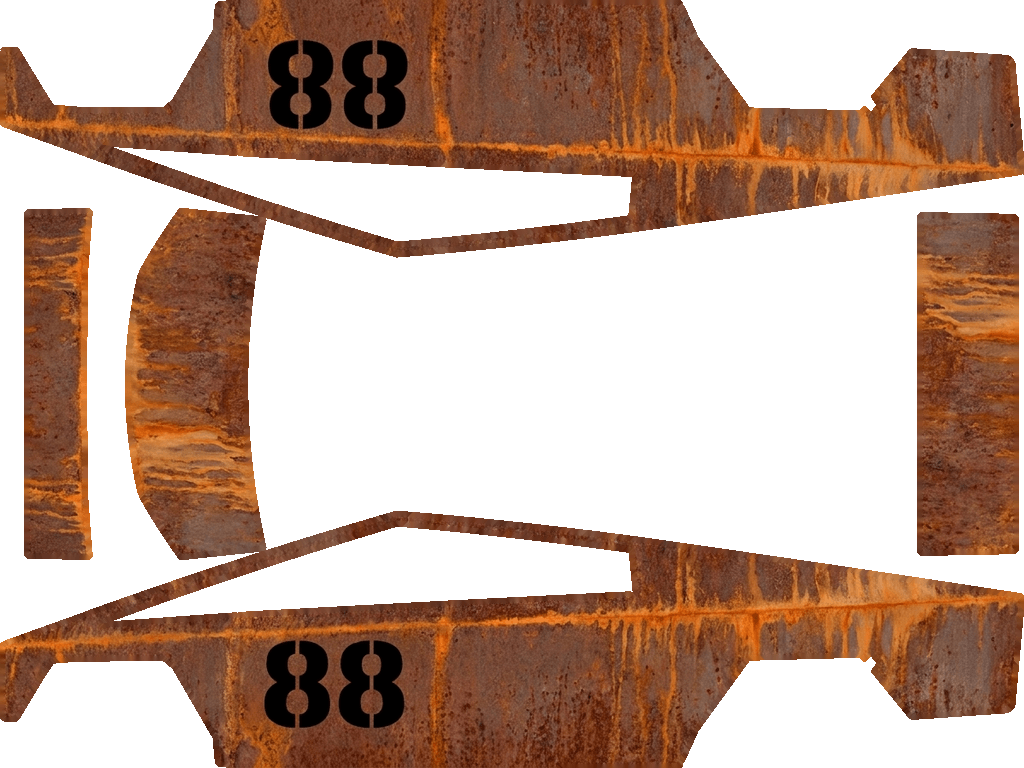
Unlike Model 3 and Model Y, the Cybertruck template is 1024×768 and laid out horizontally. The long strip across the top is the truck's right side, drawn upside down; the strip across the bottom is the left side, upright. The front sits at the left of the image and the tailgate at the far right.

That is why lettering painted by hand so often ends up upside down on one side of the truck. The Cybertruck wrap generator knows the top strip is flipped and rotates text and characters to read correctly on both sides.

02

Designs that suit a Cybertruck

The Cybertruck has huge flat surfaces and few curves, which suits graphic designs: military and arctic camo, stenciled numbers, bold chevrons, hazard stripes, brushed metals and full-length illustrations. Very fine detail gets lost on the big panels, so make a Cybertruck wrap bold.

Rusted steel, blueprint lines and retro-futurist liveries are the most shared Cybertruck wraps in the gallery.

03

Writing a Cybertruck wrap prompt

Lead with the surface (matte sand, raw brushed steel, gloss black), then the graphic, then its placement: large stenciled 88 on both doors, orange chevrons on the tailgate. The Cybertruck wrap generator places side graphics on both flanks unless you say otherwise.

04

File requirements

Paint Shop accepts a Cybertruck wrap as a 1024×768 PNG under 1 MB with a short file name. Every download from the Cybertruck wrap generator already meets these rules; for files made elsewhere, the free PNG fixer resizes and compresses them.

05

Loading it into your Cybertruck

Tesla app 4.59 or later: Creations → Wrap → Upload. Or copy the PNG into a Wraps folder on an exFAT or FAT32 USB drive and open Toybox → Paint Shop → Wraps in the truck.

08FAQ

Cybertruck wrap FAQ

Why is the Cybertruck template not square?

Tesla made the Cybertruck map 1024×768. Use that size; a square PNG will be stretched on the truck.

Why is my text upside down on one side?

The right side of the truck is drawn upside down in the template. Generate the Cybertruck wrap here and the lettering is rotated for you.

Does one wrap fit every Cybertruck?

Yes. Tesla publishes a single Cybertruck template for all versions.

Can I use a photo for my Cybertruck wrap?

Yes. Switch to From a photo; wide landscape photos and bold artwork work best on the long sides.

Can I share a Cybertruck wrap?

Yes. Every Cybertruck wrap has a share link that opens it on a 3D Cybertruck you can drive.

Your Tesla has one paint color. The screen doesn't have to.

Describe a look or upload a photo and see it on your car in about a minute.

Start a wrap