Photo to Tesla wrap

Photo to Tesla Wrap

Drop in a photo, a logo, your dog or a painting. Photo to Tesla wrap repaints it around your car's exact Paint Shop template, then shows the photo wrap on a 3D Tesla.

Drop a photo, logo or artwork
JPG, PNG or WebP · up to 12 MB
Style
Sign in to generate · 2 free wraps for new accounts
Loading 3D · 0%
Drag to spin · scroll to zoom
Model
Model Y 2025+ Premium
UV map
1024×1024
▶ Test drive7 photo & text wraps
Photo to Tesla wrap✦Pets · portraits · logos · art✦PNG, JPG, WebP up to 12 MB✦Upright on both sides✦PNG < 1 MB✦Paint Shop ready✦Photo to Tesla wrap✦Pets · portraits · logos · art✦PNG, JPG, WebP up to 12 MB✦Upright on both sides✦PNG < 1 MB✦Paint Shop ready✦
02How it works

How photo to Tesla wrap works

  1. 01

    Upload an image

    A clear photo works best: one subject, good light, no heavy filters. PNG, JPG or WebP up to 12 MB.

  2. 02

    Pick your car, add a note

    Tell the photo to Tesla wrap generator what to keep and what to change, like keep my dog on both doors, turn the background into neon rain.

  3. 03

    Check it in 3D, download

    Spin the car, then download a Tesla wrap PNG sized for your exact template. Load it through the Tesla app or a USB drive.

03Panel inspector

Where your photo lands on the car

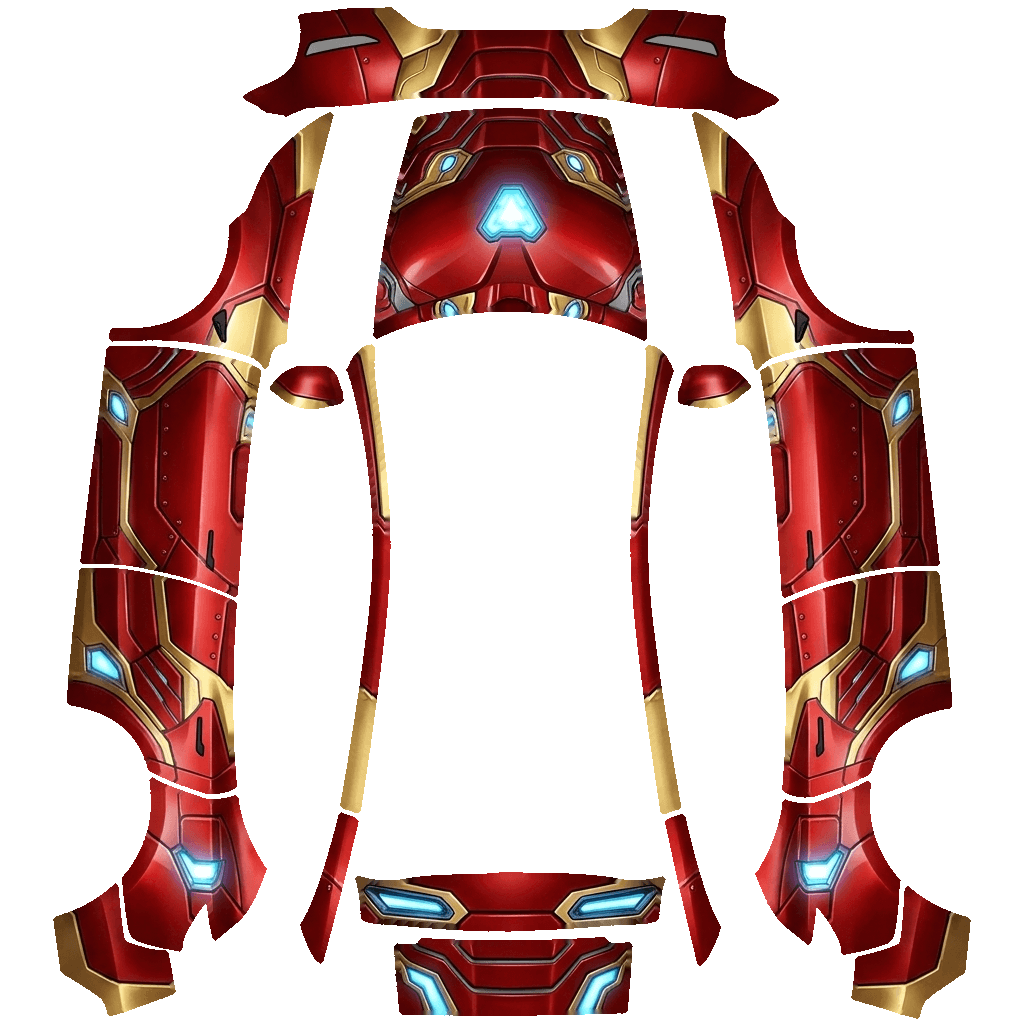
Hover a panel on the Tesla wrap template and watch it lift off the 3D car. The side panels run nose-up, which is why a pasted photo ends up sideways and a generated photo wrap does not.

Model Y 2025+ Premium Paint Shop template with labeled panels
Paint Shop map · 1024×1024
Live 3D
Panel
––
of 00
Hover or tap a panel on the map
↑ Image up
—
→ Image right
—
Share of the map
—
05Share link

Your photo wrap gets its own test track

Every Tesla wrap you make gets a share link. It opens full screen on your car with the panels called out, and one tap puts your friends behind the wheel of your photo wrap.

  • Panel callouts

    The link opens on your car with the hood, doors, quarters and wheels labeled, so friends see exactly what was wrapped.

  • Drive, drift, boost

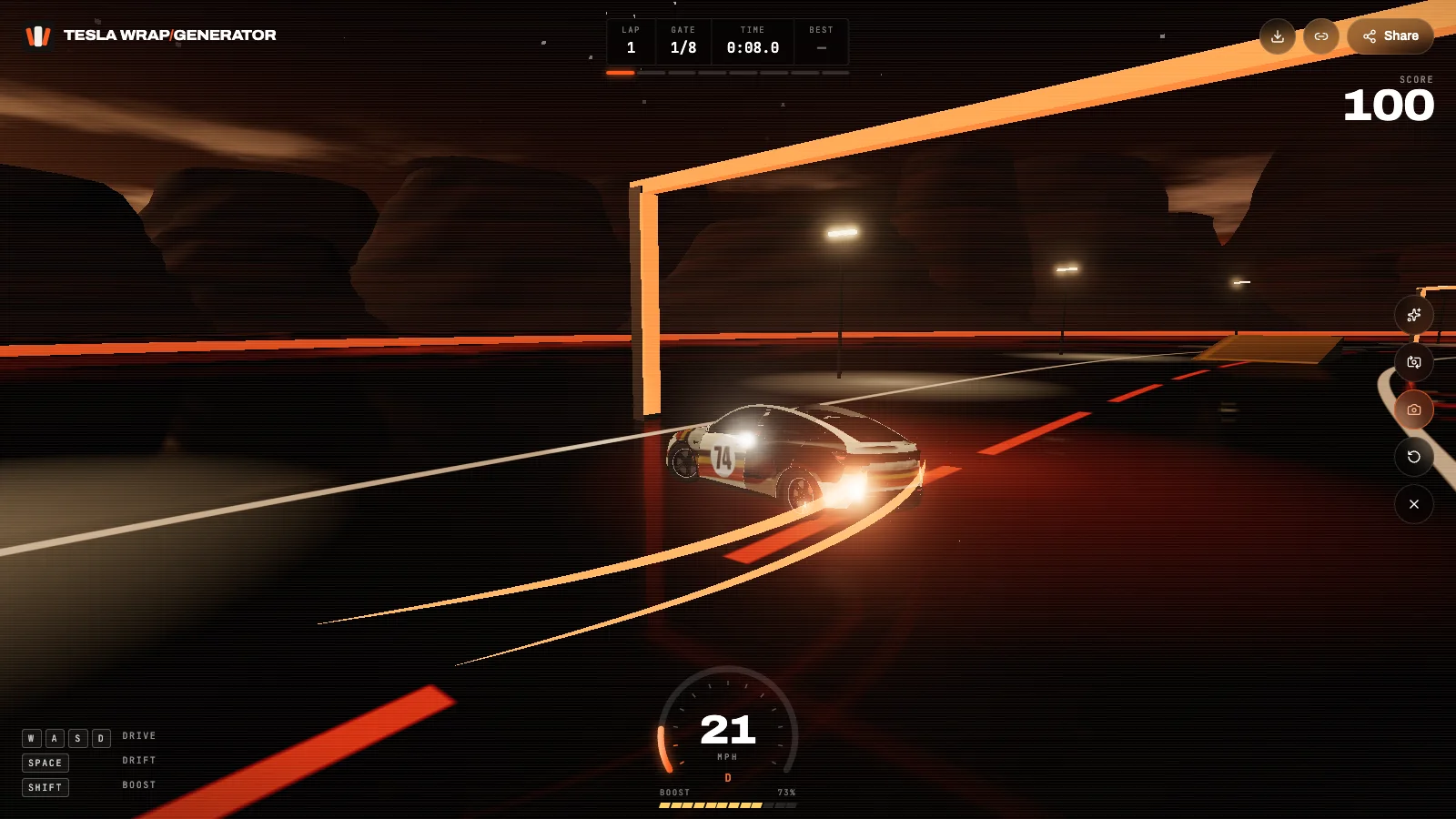
    Press Start and drive the wrap around a dusk test track: eight gates, two ramps, a slalom and a lap timer. Works with keys or touch.

  • Photo mode

    Grab a press shot of the car mid-drift with the wrap name on it, ready for Instagram, X or a Tesla owners group.

Take one for a drive
A custom Tesla wrap drifting on the 3D test track
teslawrapgenerator.com/w/…
06Features

Photo to Tesla wrap features

01

Any image in

Pets, portraits, cars, landmarks, album art, paintings and logos. The photo to Tesla wrap tool repaints the subject rather than stretching it.

02

Upright on both doors

The generator knows each template's orientation, so a face or a word reads correctly on the left and right side of the Tesla wrap.

03

Keep or change the look

Add a note: keep the colors, turn it into anime, make the background a sunset. The photo stays the anchor of the wrap.

04

3D check before download

See the photo wrap on a 3D Tesla, drag to any angle and compare it with the flat Paint Shop map.

05

Tesla-ready file

Trimmed to the panels, seams cleaned, compressed under 1 MB with a safe file name.

06

Private reference

Your uploaded photo is never shown publicly. Only the finished Tesla wrap can appear in the gallery, and only if you allow it.

01

What makes a good source image

Photos with one clear subject and a clean background make the best photo to Tesla wrap results. Pets, portraits, cars, landmarks, album-style artwork and logos all translate well, because the generator can place the subject large on both sides of the car and carry its colors across the hood and bumpers.

Busy crowd shots and tiny subjects get lost. The side of a car is long and low, so ask yourself whether the subject still reads as a thumbnail; if it does, it will read on the doors of your Tesla wrap.

02

How a photo becomes a Tesla wrap

The image model receives two pictures: yours, and Tesla's official UV template for your exact car. It repaints your image into the panel shapes, so the subject lands on the doors upright relative to the car and the background flows onto the fenders, hood and bumpers.

We then trim everything outside the panels, replace the template outlines with nearby color so no dark seams show on the car, and compress the file below Tesla's 1 MB limit. That is the difference between a photo wrap and a photo pasted on a template.

03

Why not just paste the picture on the template?

In Tesla's templates the side panels run top to bottom and are split by door gaps. A photo pasted on by hand ends up sideways and chopped into pieces, and whatever sits in the gaps disappears. Photo to Tesla wrap repaints the image for that layout instead of pasting it, which is why the panel inspector above is worth a minute of your time.

04

Writing the note

Short notes work best. Say what to keep (my dog's face, the red of the jersey), where to put it (both front doors, across the hood) and what to do with the rest (dark carbon, cherry blossoms, a desert sunset). Leave out resolution words like 8K or ultra-detailed; the Tesla wrap is shown at 1024 pixels on the screen.

05

Logos and artwork you don't own

Only upload images you have the right to use. A Tesla wrap is for your own car's screen, and anything published to the public gallery must be free of trademarked logos and other people's faces. Untick Show in gallery to keep a photo wrap private.

06

Loading the photo wrap in your Tesla

With Tesla app 4.59 or later, go to Creations → Wrap → Upload. Or copy the PNG into a folder named Wraps on an exFAT or FAT32 USB drive, plug it in and open Toybox → Paint Shop → Wraps. The car lists up to ten Tesla wraps from USB and ten from the app.

08FAQ

Photo to Tesla wrap FAQ

Can I use a photo of my dog or cat?

Yes. Pets are the most popular photo wraps. Use a sharp photo where the face is clear; the generator places it on both sides of the Tesla wrap.

Is my uploaded photo public?

No. Reference photos are never shown in the gallery. Only the finished Tesla wrap can appear there, and only if Show in gallery is on.

What files can I upload?

PNG, JPG or WebP up to 12 MB. We resize it before generating, so a phone photo is plenty.

How much does a photo wrap cost?

The same 10 credits as a text wrap. New accounts get 20 credits, enough for two Tesla wraps.

Which Teslas can I make photo wraps for?

Every Paint Shop model: Model 3 (2017–2023 and 2024+), Model Y (2020–2024, 2025+ and Model Y L), Model S, Model X and Cybertruck.

Can I share my photo wrap?

Yes. Every Tesla wrap gets a share link that opens in 3D, with a drivable test track and a photo mode for social posts.

Your Tesla has one paint color. The screen doesn't have to.

Describe a look or upload a photo and see it on your car in about a minute.

Start a wrap