Tesla Model Y wrap generator

Model Y Wrap Generator

Every Model Y has its own Paint Shop map. Pick yours, from the original 2020 Model Y to the 2025 Juniper and the six-seat Model Y L, then describe the Model Y wrap in one sentence.

Style
Try
Sign in to generate · 2 free wraps for new accounts
Loading 3D · 0%
Drag to spin · scroll to zoom
Model
Model Y 2025+ Premium
UV map
1024×1024
▶ Test drive6 Model Y wraps
Model Y 2025+ Premium✦Model Y 2025+ Standard✦Model Y 2025+ Performance✦Model Y L✦Model Y 2020–2024✦1024×1024 UV map✦PNG < 1 MB✦Model Y 2025+ Premium✦Model Y 2025+ Standard✦Model Y 2025+ Performance✦Model Y L✦Model Y 2020–2024✦1024×1024 UV map✦PNG < 1 MB✦
02How it works

A Model Y wrap in three steps

  1. 01

    Choose your Model Y

    The 2025 refresh has a full-width light bar; the 2020–2024 car has separate headlights. Model Y L is the long six-seater. Each Model Y wrap needs its own template.

  2. 02

    Describe the look

    Colors, motif, finish. The Model Y wrap generator paints it across the panels and keeps stripes running along the car.

  3. 03

    Download and load

    Spin the Model Y wrap in 3D, then download a PNG under 1 MB. Tesla app: Creations → Wrap → Upload, or a USB folder named Wraps.

03Panel inspector

Every Model Y wrap panel, mapped

Hover a shape on the Model Y template to lift that panel off the 3D car. The readout shows which way the panel points in the PNG, which is the whole reason a hand-made Model Y wrap so often lands sideways.

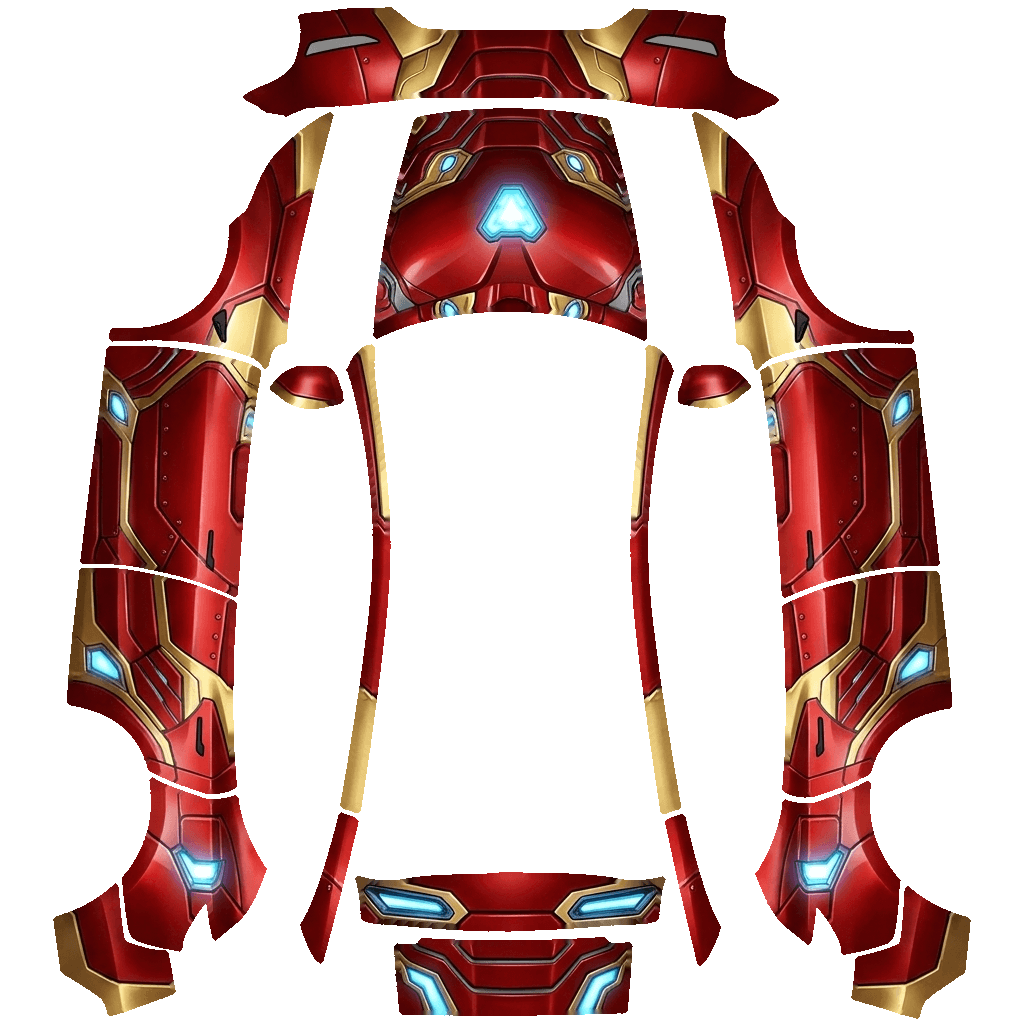
Model Y 2025+ Premium Paint Shop template with labeled panels
Paint Shop map · 1024×1024
Live 3D
Panel
––
of 00
Hover or tap a panel on the map
↑ Image up
—
→ Image right
—
Share of the map
—

Panel names and directions come from matching each Model Y template against its UV-mapped 3D model.

05Share link

Take your Model Y wrap for a lap

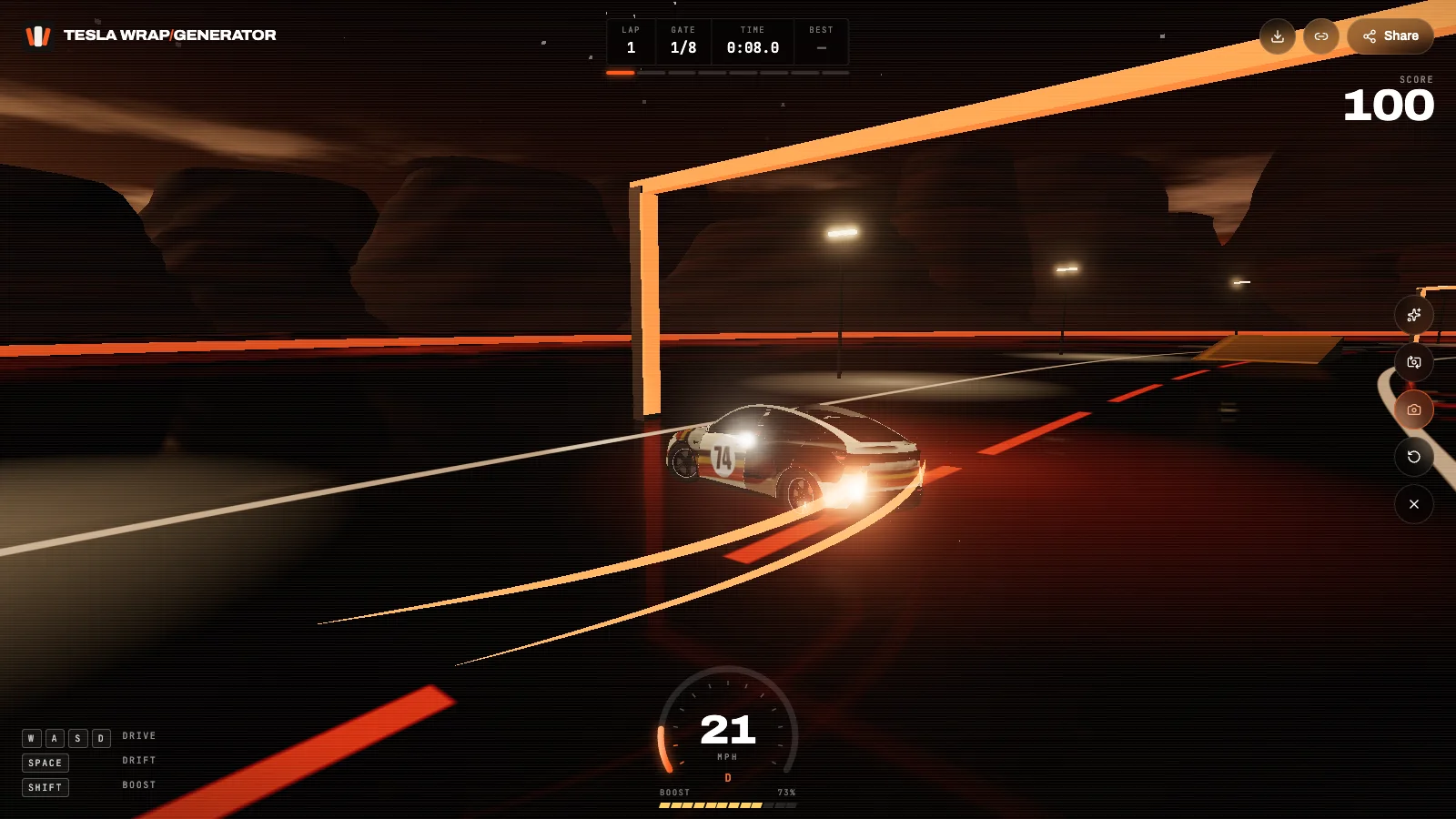
Every Model Y wrap gets a share link. It opens on a 3D Model Y with the panels called out; press Start and drive it around the test track, drift it through the gates, then snap a photo for your feed.

  • Panel callouts

    The link opens on your car with the hood, doors, quarters and wheels labeled, so friends see exactly what was wrapped.

  • Drive, drift, boost

    Press Start and drive the wrap around a dusk test track: eight gates, two ramps, a slalom and a lap timer. Works with keys or touch.

  • Photo mode

    Grab a press shot of the car mid-drift with the wrap name on it, ready for Instagram, X or a Tesla owners group.

Take one for a drive
A custom Tesla wrap drifting on the 3D test track
teslawrapgenerator.com/w/…
06Features

Model Y wrap generator features

01

All five Model Y templates

Juniper 2025+ Standard, Premium and Performance, Model Y L and the 2020–2024 Model Y, each with its own map.

02

Text or photo

Describe a Model Y wrap in a sentence or upload a photo, logo or painting to build it around.

03

Stripes that stay straight

The generator knows the Model Y side panels run nose-up in the PNG, so stripes and lettering follow the body.

04

3D Model Y preview

Check every Model Y wrap on a 3D Model Y from any angle before you download it.

05

Paint Shop-ready PNG

1024×1024, under 1 MB, a safe file name and no dark seams at the panel edges.

06

Share and drive

Send a link that opens your Model Y wrap in 3D, with a drivable test track and photo mode.

01

Which Model Y template do I need?

Tesla publishes five Model Y templates. The 2025 refresh (often called Juniper) has separate maps for Standard, Premium and Performance, because the bumpers differ. The long six-seat Model Y L has its own map, and the original 2020–2024 Model Y uses the older layout.

If your car has a single light bar across the nose, pick one of the 2025 templates. If it has two separate headlights, pick Model Y 2020–2024. A Model Y wrap made for the wrong template will land crooked on the doors.

02

Designs that suit a Model Y

The Model Y has tall doors and a long rear quarter, which makes the sides the main canvas. Bold horizontal stripes, a large illustration spanning both doors, or a two-tone split all read well in Paint Shop's 3/4 view.

Keep fine detail for the hood and doors; the rocker area and bumpers are small on screen. Matte military greens, desert camo, retro racing liveries and soft pastels are the most downloaded Model Y wraps in the gallery.

03

How the generator keeps a Model Y wrap straight

In the Model Y templates the two side columns hold the fenders, doors and rear quarters with the car's nose pointing up. A stripe that runs along the car is therefore vertical in the PNG. The Model Y wrap generator writes that orientation into the instructions for every trim, so lettering and characters come out upright on the car rather than lying on their side.

Use the panel inspector above to see it for yourself: pick the left front door and the readout shows that image-up points to the nose.

04

Writing a Model Y wrap prompt

Start with the base color and finish, then the main motif, then where it goes: satin black body, a gold koi fish swimming along both doors, red fins on the hood. Two or three ideas per Model Y wrap is plenty. Style presets such as Race livery, Camo or Anime add the right vocabulary for you.

05

Putting the wrap on your Model Y

With Tesla app 4.59 or later, go to Creations → Wrap → Upload. Or copy the PNG to a USB drive formatted exFAT or FAT32 inside a folder named Wraps, plug it into the car and open Toybox → Paint Shop → Wraps. Up to 10 Model Y wraps from USB and 10 from the app show in the car.

08FAQ

Model Y wrap FAQ

Does a Model Y 2025 wrap fit a 2023 Model Y?

No. The 2025 refresh uses a different map. Pick Model Y 2020–2024 for older cars and generate again; a mismatched Model Y wrap lands crooked.

What is the difference between the Standard, Premium and Performance templates?

Mostly the bumpers and a few trim pieces. Choose the one that matches your car so the front and rear of the Model Y wrap line up.

Is there a template for Model Y L?

Yes. The six-seat Model Y L has its own template, and it is built into the Model Y wrap generator.

Can I make a Model Y wrap from a photo?

Yes. Switch to From a photo, upload an image and add a note. The generator places your subject on both sides of the car.

How long does a Model Y wrap take?

Usually 40 to 90 seconds from pressing Generate to a downloadable PNG, including the 3D preview.

Will the wrap change my Model Y's real paint?

No. Paint Shop changes only the 3D car on the touchscreen and in the Tesla app.

Your Tesla has one paint color. The screen doesn't have to.

Describe a look or upload a photo and see it on your car in about a minute.

Start a wrap